




This Content Is Only For Subscribers
Digital communication is supposed to make landlording easier. It becomes a problem when the tools multiply faster than the rules for using them. A tenant texts one question, emails another, submits a repair through a portal, and then calls because they are not sure which message you saw. The landlord answers from whatever screen happens to be open. Everyone is communicating, but no one is sure where the complete record lives.
Most communication problems are not caused by bad software. They come from inconsistent habits. A simple system can work very well if both the landlord and tenant understand how it is supposed to be used.

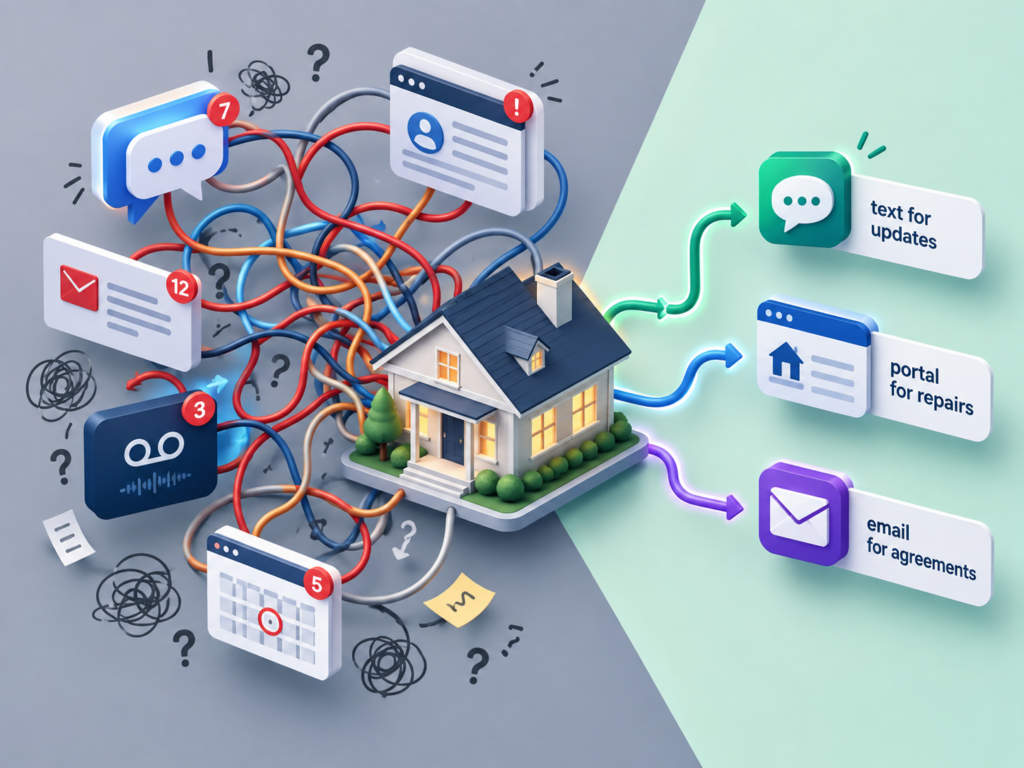
Mistake One: Letting the Same Issue Live in Four Places
When one repair moves between text, email, voicemail, and a portal, details get lost. The tenant may assume the plumber was scheduled because of a text you never saw. You may assume the tenant granted access in an email when the message actually referred to a different appointment.
Pick one primary place for each workflow. Maintenance requests go through the maintenance form or portal. Important agreements go through the business email or portal. Short scheduling updates can use the business text line. If a tenant starts the conversation somewhere else, acknowledge it and move the continuing discussion to the correct place.
For a serious repair, do not make the process more important than the property. If a tenant texts that water is actively entering the house during a South Texas storm, respond to the problem first. Once the immediate issue is under control, make sure the details, photos, vendor notes, and follow up are captured in the maintenance record.
Mistake Two: Using Casual Language for a Serious Issue
A quick text tone is fine for a vendor arrival update. It is less helpful when the tenant is disputing a charge, asking about a lease term, or reporting a condition that may affect safety or the property. Messages such as I think that should be fine or I will probably cover it can create more confusion than a careful answer.
When the issue matters, slow the conversation down. Read the lease or the property record. Decide what you actually know. Then respond clearly about what happens next. Professional does not have to mean stiff. It means the tenant should not have to guess what you meant.
Mistake Three: Sending an Update Without a Next Step
I received your request is better than silence, but it is not much of a plan. The tenant still does not know when you will follow up, whether a vendor has been called, or what they should do if the condition changes.
A stronger update says what you know now and when the tenant will hear from you again. For example, I received the AC request and I am contacting a technician this morning. I will update you by 3:00 this afternoon with the scheduling status. If the system stops running completely or you notice water around the indoor unit, let me know right away.
That kind of message is especially useful during a San Antonio summer when HVAC companies are busy and an exact appointment time may not be available immediately. You can still give the tenant a communication timeline even when the repair timeline is uncertain.
Mistake Four: Assuming Automation Means the Message Was Understood
A portal notification, email, or automated reminder can be delivered without actually getting the tenant’s attention. Spam filters exist. App notifications get turned off. People skim messages on busy days.
For routine information, that is usually not a major problem. For time sensitive access, an inspection, a vendor appointment, or another issue where a missed message creates real consequences, build in a confirmation step. Ask the tenant to reply, confirm through the portal, or use another reasonable follow up method when you do not receive the response you need.
Mistake Five: Buying Tools Without Setting Rules
A new portal will not fix a communication system if you have not decided what belongs in the portal. Automated reminders will not help if no one knows which messages are urgent. A business phone number will not create boundaries if you answer routine texts at midnight every night.
Set the process first. Decide how repair requests arrive, where agreements are confirmed, how tenants reach you for urgent conditions, and when routine messages are answered. Then choose tools that support that process.
The best digital communication setup is usually the least confusing one. Tenants should know where to send something, and you should know where to find it later. When every tool has a clear job, technology stops creating extra conversations and starts reducing them.